Description
✅ Test NumToWords Multilingual before buying the full Excel Add-In
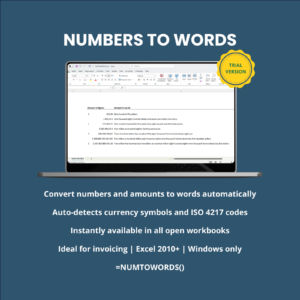
NumToWords Multilingual Trial is a free trial version of the Excel number to words Add-In designed to convert numbers, amounts and currency values into written words directly inside Microsoft Excel for Windows.
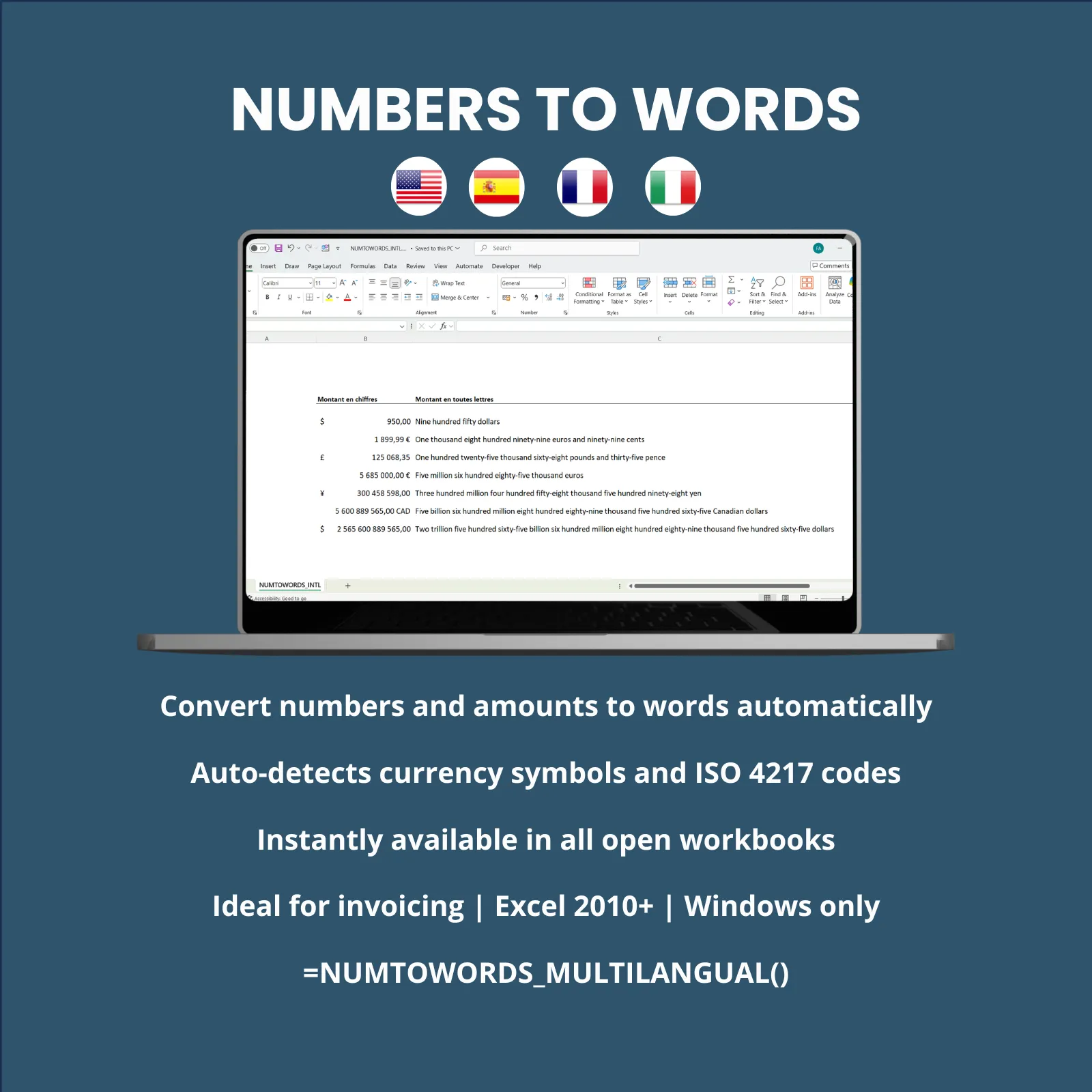
This multilingual Excel Add-In helps you test how to convert Excel numbers to words in several languages before purchasing the full licensed version. It is suitable for users who prepare financial, accounting, administrative or business documents in English, French, Spanish or Italian.
Unlike the English-only version, NumToWords Multilingual Trial allows you to evaluate multilingual number-to-words conversion in Excel, including automatic currency detection for selected currencies.
It is especially useful for professional Excel documents such as:
- Invoices
- Quotations
- Accounting documents
- Checks
- Contracts
- Financial reports
- Payment documents
- Business and administrative files
The Add-In converts numeric values into clear written text in the selected language, helping reduce manual typing errors and improve the presentation of professional Excel documents.
Supported output languages in the trial version:
- English
- French
- Spanish
- Italian
The output language is selected directly in the Excel formula. It does not depend on the language of your Microsoft Excel interface.
⏳ NumToWords Multilingual Trial limits
This trial version is provided for evaluation purposes only and includes the following restrictions:
- Trial period: 14 days from first use
- Maximum supported amount: 9,999,999
- Supported languages: English, French, Spanish and Italian
- Supported currencies: US dollar, Canadian dollar, British pound and Euro
- Platform: Microsoft Excel Desktop for Windows only
After the 14-day trial period ends, you can upgrade to the full version to continue using the Excel Add-In without the trial limitations.
👥 Who this multilingual Excel number-to-words Add-In is for
NumToWords Multilingual Trial is designed for professionals and businesses that need to convert Excel amounts into words in several languages.
This trial version is suitable for:
- Accountants, bookkeepers, auditors and finance teams
- Small businesses, SMEs, freelancers and independent professionals
- Administrative, purchasing, billing and invoicing departments
- Consultants, engineering offices and construction professionals
- Companies preparing documents for international clients
- Users working with Excel files in English, French, Spanish or Italian
- Anyone who needs to convert Excel amounts into words for invoices, quotations, checks, contracts or financial documents
⚙️ Main features of NumToWords Multilingual Trial
🧮 Excel worksheet function
The trial version works directly in Excel cells using a worksheet formula. After installation, you can use the Add-In in any standard Excel workbook.
Basic example:
=NUMTOWORDS_MULTILINGUAL_TRIAL(A1,"en")This formula converts the numeric value in cell A1 into written words in English.
🌍 Convert Excel numbers to words in 4 languages
The Add-In converts numbers and monetary amounts into written text in multiple languages. This makes it useful for multilingual invoices, quotations, accounting files, checks and business documents.
Supported language codes:
- en — English
- fr — French
- es — Spanish
- it — Italian
You can use the same Excel formula structure to generate number-to-words results for:
- English-speaking clients
- French-speaking clients
- Spanish-speaking clients
- Italian-speaking clients
💵 Automatic currency detection in Excel
NumToWords Multilingual Trial can automatically detect selected currencies from Excel cell formatting. It recognizes supported currency symbols and ISO 4217 currency codes where applicable.
Supported currencies in the trial version:
- $ — US dollar
- USD — US dollar
- C$ — Canadian dollar
- CAD — Canadian dollar
- £ — British pound
- GBP — British pound
- € — Euro
- EUR — Euro
When a supported currency is detected, the Add-In converts both the numeric amount and the currency wording into the selected language.
🔤 Flexible and customizable Excel formula
The Add-In can be used with a simple formula or with additional options for currency, sub-currency, international wording and output style.
Basic syntax:
=NUMTOWORDS_MULTILINGUAL_TRIAL(A1,"en")Formula with additional options:
=NUMTOWORDS_MULTILINGUAL_TRIAL(A1,"Language","Currency","Sub-currency",International,Style)Available arguments:
- Language: “en”, “fr”, “es” or “it”
- Currency: optional custom currency name
- Sub-currency: optional custom sub-currency name
- International: use country-specific currency wording where available
- Style: standard wording or check-style format
📌 Formula examples
- Number without currency — English
Cell content: 5,135,869.60
Function syntax:=NUMTOWORDS_MULTILINGUAL_TRIAL(A1,"en")
Result: Five million one hundred thirty-five thousand eight hundred sixty-nine point sixty - Number with currency — English
Cell content: € 5,135,869.60
Function syntax:=NUMTOWORDS_MULTILINGUAL_TRIAL(A2,"en")
Result: Five million one hundred thirty-five thousand eight hundred sixty-nine euros and sixty cents - Number with currency — French
Cell content: € 5,135,869.60
Function syntax:=NUMTOWORDS_MULTILINGUAL_TRIAL(A3,"fr")
Result: Cinq millions cent trente-cinq mille huit cent soixante-neuf euros et soixante centimes - Number with currency — Spanish
Cell content: € 5,135,869.60
Function syntax:=NUMTOWORDS_MULTILINGUAL_TRIAL(A4,"es")
Result: Cinco millones ciento treinta y cinco mil ochocientos sesenta y nueve euros con sesenta céntimos - Number with currency — Italian
Cell content: € 5,135,869.60
Function syntax:=NUMTOWORDS_MULTILINGUAL_TRIAL(A5,"it")
Result: Cinque milioni centotrentacinquemila ottocentosessantanove euro e sessanta centesimi - US dollars with international wording — English
Cell content: $ 5,135,869.60
Function syntax:=NUMTOWORDS_MULTILINGUAL_TRIAL(A6,"en",,,1)
Result: Five million one hundred thirty-five thousand eight hundred sixty-nine US dollars and sixty cents - Check-style amount — English
Cell content: $ 5,135,869.60
Function syntax:=NUMTOWORDS_MULTILINGUAL_TRIAL(A7,"en",,,,1)
Result: Five million one hundred thirty-five thousand eight hundred sixty-nine dollars and 60/100 - British pounds — English
Cell content: £ 5,135,869.60
Function syntax:=NUMTOWORDS_MULTILINGUAL_TRIAL(A8,"en")
Result: Five million one hundred thirty-five thousand eight hundred sixty-nine pounds and sixty pence - Forced custom currency wording
Cell content: 5,135,869.60
Function syntax:=NUMTOWORDS_MULTILINGUAL_TRIAL(A9,"en","pounds","pence")
Result: Five million one hundred thirty-five thousand eight hundred sixty-nine pounds and sixty pence
📦 What is included in the trial package
The trial download package includes the files required to install and evaluate the multilingual Excel Add-In on a Windows computer.
- 📊 NumToWords Multilingual Trial Excel Add-In
- 📄 Illustrated PDF installation guide
- 💬 Email support during the trial installation and evaluation period
⚙️ How the Excel Add-In works
- Download the trial package.
- Follow the illustrated installation guide.
- Install the Add-In in Microsoft Excel for Windows.
- Open your Excel workbook.
- Use the worksheet formula directly inside your Excel cells.
Once installed, the Add-In becomes available directly in Microsoft Excel and can be used through formulas such as:
=NUMTOWORDS_MULTILINGUAL_TRIAL(A1,"en")The formula converts the value of the selected cell into written text in the chosen language.
Before purchasing the full licensed version, you can test:
- Excel number-to-words conversion
- Currency detection from Excel cell formatting
- Multilingual output in English, French, Spanish and Italian
- Standard and check-style output formats
- Compatibility with your own Excel files
This allows you to verify that the Add-In matches your workflow before committing to the full product.
🔓 Upgrade to the full version
The full licensed version removes the trial restrictions and provides access to the complete functionality of the NumToWords Multilingual Excel Add-In.
Upgrade to the full version if you need:
- Continued use after the 14-day trial period
- A wider range of supported international currencies
- Multilingual number-to-words output for professional Excel documents
- Use in invoicing, accounting, checks, quotations and financial workflows
- A personalized licensed version of the Excel Add-In
💻 Compatibility
- ✅ Compatible with Microsoft Excel Desktop for Windows 2010 or later
- ❌ Not compatible with Excel for Mac
- ❌ Not compatible with Excel Online
⚠️ Important technical information
- The Add-In is based on VBA — Visual Basic for Applications.
- Macros must be enabled for the Add-In to work correctly.
- The trial version is limited to 14 days from first use.
- The maximum supported amount in the trial version is 9,999,999.
- The trial version supports English, French, Spanish and Italian.
- The trial version supports only US dollar, Canadian dollar, British pound and Euro.
- Always review the generated text before using it in professional, accounting, legal or financial documents.
🛑 Legal disclaimer
NumToWords Multilingual Trial is a Microsoft Excel Add-In trial version intended for evaluation purposes only.
It runs under Microsoft Excel for Windows and is designed to help users test multilingual number-to-words conversion before purchasing the full licensed version.
The software has been developed and tested carefully within the functional limits of the trial version. However, due to differences between Windows environments, Excel versions, regional settings, language settings and user configurations, errors, anomalies or unexpected behavior may exceptionally occur.
The software is provided “as is”, without any express or implied warranty, including but not limited to:
- Performance
- Accuracy
- Reliability
- Compatibility
- Suitability for a specific purpose
The publisher shall not be held liable for any direct or indirect loss, including but not limited to:
- Data loss
- File corruption
- Calculation errors
- Business interruption
- Financial consequences resulting from the use of the software
Users remain responsible for checking and validating all generated results before using them in professional, accounting, financial, contractual or legal documents.