Description
✅ Try NumToWords before purchasing the full version
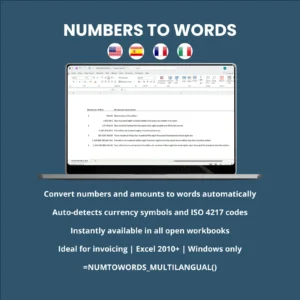
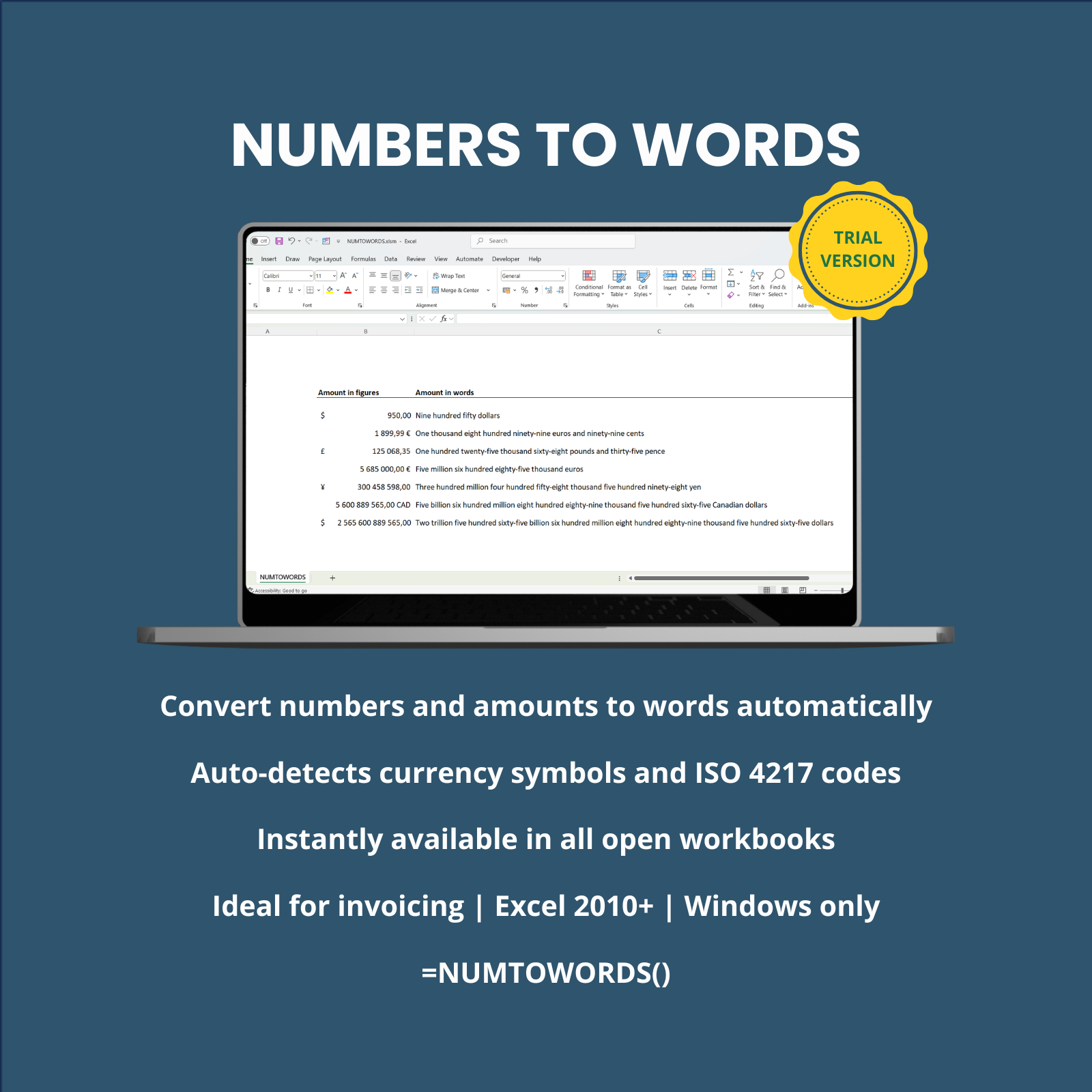
NumToWords Trial is the trial version of the Excel Add-In designed to convert numbers and monetary amounts into full written text directly in Microsoft Excel.
This trial version allows you to test the main features of the Add-In before purchasing the full licensed version.
It is ideal for evaluating the tool with your invoices, quotations, accounting documents, checks and financial files.
The Add-In automatically converts your Excel amounts into clear written English, helping you reduce transcription errors and prepare more professional financial documents.
The result is returned in English, regardless of the language of your Microsoft Excel interface.
⏳ Trial version limits
This trial version is provided for evaluation purposes only and includes the following limits:
- ⏱️ Trial period: 14 days from first use
- 🔢 Maximum supported amount: 9,999,999
- 💵 Supported currencies: US dollar, Canadian dollar, British pound and Euro
- 💻 Platform: Microsoft Excel for Windows only
After the trial period expires, you can purchase the full version to continue using the Add-In without the trial restrictions.
👥 Who this Excel trial Add-In is for
- Accountants, bookkeepers, auditors and finance departments
- Business owners, SMEs, freelancers and independent professionals
- Administrative, purchasing and invoicing departments
- Cost consultants, engineering offices and construction professionals
- Anyone using Excel to prepare invoices, quotations, contracts, checks or financial documents
⚙️ Main features available in the trial version
🧮 Built-in worksheet function
=NUMTOWORDS_TRIAL(A1)Works directly in Excel cells like a standard worksheet function.
💵 Automatic currency detection
The trial version automatically recognizes the supported currency symbols and ISO 4217 currency codes directly from Excel cell formatting.
This allows the Add-In to detect the currency used in the cell and convert the amount into written words.
Supported currencies in the trial version
- $ — US dollar
- USD — US dollar
- C$ — Canadian dollar
- CAD — Canadian dollar
- £ — British pound
- GBP — British pound
- € — Euro
- EUR — Euro
🔤 Simple and customizable
Simple and fast formula:
=NUMTOWORDS_TRIAL(A1)Formula with customization:
=NUMTOWORDS_TRIAL(A1,"Currency","Sub-currency",International,Style)Available arguments:
- Currency – e.g. “dollar”, “pound”, “euro”
- Sub-currency – e.g. “cent”, “cents”, “penny”, “pence”
- International: « 1 » → US dollars / « 0 » → dollars
- Style: « default » / « check »
Examples:
Number without formatting
- Cell content: 5,135,869.60
- Function syntax:
=NUMTOWORDS_TRIAL(A4) - Result: Five million one hundred thirty-five thousand eight hundred sixty-nine point sixty
Number with currency – euros
- Cell content: € 5,135,869.60
- Function syntax:
=NUMTOWORDS_TRIAL(A6) - Result: Five million one hundred thirty-five thousand eight hundred sixty-nine euros and sixty cents
Number with currency – US dollars
- Cell content: $ 5,135,869.60
- Function syntax:
=NUMTOWORDS_TRIAL(A8) - Result: Five million one hundred thirty-five thousand eight hundred sixty-nine dollars and sixty cents
Number with currency and country name – US dollars
- Cell content: $ 5,135,869.60
- Function syntax:
=NUMTOWORDS_TRIAL(A9;;;1) - Result: Five million one hundred thirty-five thousand eight hundred sixty-nine US dollars and sixty cents
Number with currency – US dollars – Check style
- Cell content: $ 5,135,869.60
- Function syntax:
=NUMTOWORDS_TRIAL(A10;;;;1) - Result: Five million one hundred thirty-five thousand eight hundred sixty-nine dollars and 60/100
Number with currency – Canadian dollars
- Cell content: C$ 5,135,869.60
- Function syntax:
=NUMTOWORDS_TRIAL(A11) - Result: Five million one hundred thirty-five thousand eight hundred sixty-nine Canadian dollars and sixty cents
Number with currency – British pounds
- Cell content: £ 5,135,869.60
- Function syntax:
=NUMTOWORDS_TRIAL(A12) - Result: Five million one hundred thirty-five thousand eight hundred sixty-nine pounds and sixty pence
Number without formatting – forced pounds and pence
- Cell content: 5,135,869.60
- Function syntax:
=NUMTOWORDS_TRIAL(A13;"pounds";"pence") - Result: Five million one hundred thirty-five thousand eight hundred sixty-nine pounds and sixty pence
📦 What is included
The trial package includes the files required to install and test the Excel Add-In on your Windows computer.
- 📊 NumToWords Trial Excel Add-In
- 📄 Clear illustrated PDF installation guide
- 💬 Email support: assistance provided by email during the trial installation and evaluation period
⚙️ How it works
After downloading the trial version, follow the installation guide.
Once installed, the Add-In becomes available directly in any open Excel workbook using the trial formula:
=NUMTOWORDS_TRIAL(A1)The formula instantly converts the numeric value of the cell into written English text.
The trial version lets you verify the Add-In behavior, currency detection and output style before purchasing the full version.
Test NumToWords directly in Excel before committing to the full license.
🔓 Upgrade to the full version
The full licensed version removes the trial restrictions and gives access to the complete currency support available in the full product.
Upgrade to the full version if you need:
- Unlimited continued use after the 14-day trial period
- Support for a wider range of international currencies
- Use in professional invoicing, accounting, checks and financial workflows
- A personalized licensed version of the Excel Add-In
💻 Compatibility
- ✅ Microsoft Excel Desktop, on Windows 2010 or later
- ❌ Not compatible with Excel for Mac or Excel Online
⚠️ Important technical information
- The Add-In is based on VBA — Visual Basic for Applications.
- Macros must be enabled for the Add-In to work correctly.
- The trial version is limited to 14 days from first use.
- The maximum supported amount in the trial version is 9,999,999.
- The trial version supports only US dollar, Canadian dollar, British pound and Euro.
- Always check the results before professional, accounting or financial use.
🛑 Legal disclaimer
NumToWords Trial is a Microsoft Excel Add-In trial version intended for evaluation purposes, running under Microsoft Excel for Windows.
This software has been designed and tested with care to ensure reliable and accurate operation within the limits of the trial version.
However, due to the diversity of system configurations, Excel versions and usage contexts, anomalies or side effects may exceptionally occur.
The software is provided “as is”, without any warranty, express or implied, including but not limited to performance, reliability or fitness for a particular purpose.
Accordingly, the publisher shall not be held liable for any direct or indirect damage, including but not limited to data loss, file corruption or business interruption related to its use.